
Work in progress. Modeler AI is under active, continuous development and will stay that way. Expect frequent updates, new capabilities, and the occasional rough edge as it grows.

PracSim Modeler AI puts a multi-provider AI chat panel inside FlexSim. Hook it up to your Anthropic, OpenAI, or other provider API key, and the assistant can build, run, and discuss your simulation directly, with the active model loaded as context. It is open source and BYOK (bring your own key): you choose the model, you pay the provider, and your conversations never touch PracSim's servers.

What you get

  • Build, run, and discuss your model in chat without leaving FlexSim
  • Work remotely: connect to your model and build it from another device, away from the computer it runs on
  • Model context loaded automatically, so the assistant works against the active simulation
  • BYOK: works with Anthropic Claude, OpenAI GPT, and other providers
  • Your API key, your provider, your data. No PracSim relay.
  • Open source. Free to use, free to extend or fork.

What it looks like

Build it in chat

Ask for what you want and Modeler AI works through it step by step. Here it is planning, then building, a small production line (a Source feeding three Processors into a Sink) with process times, then a "Line Performance" dashboard with throughput, WIP content, utilization, and staytime charts. The assistant explains the plan, creates the objects, wires the flow, configures the dashboard, runs the model, and reports back.
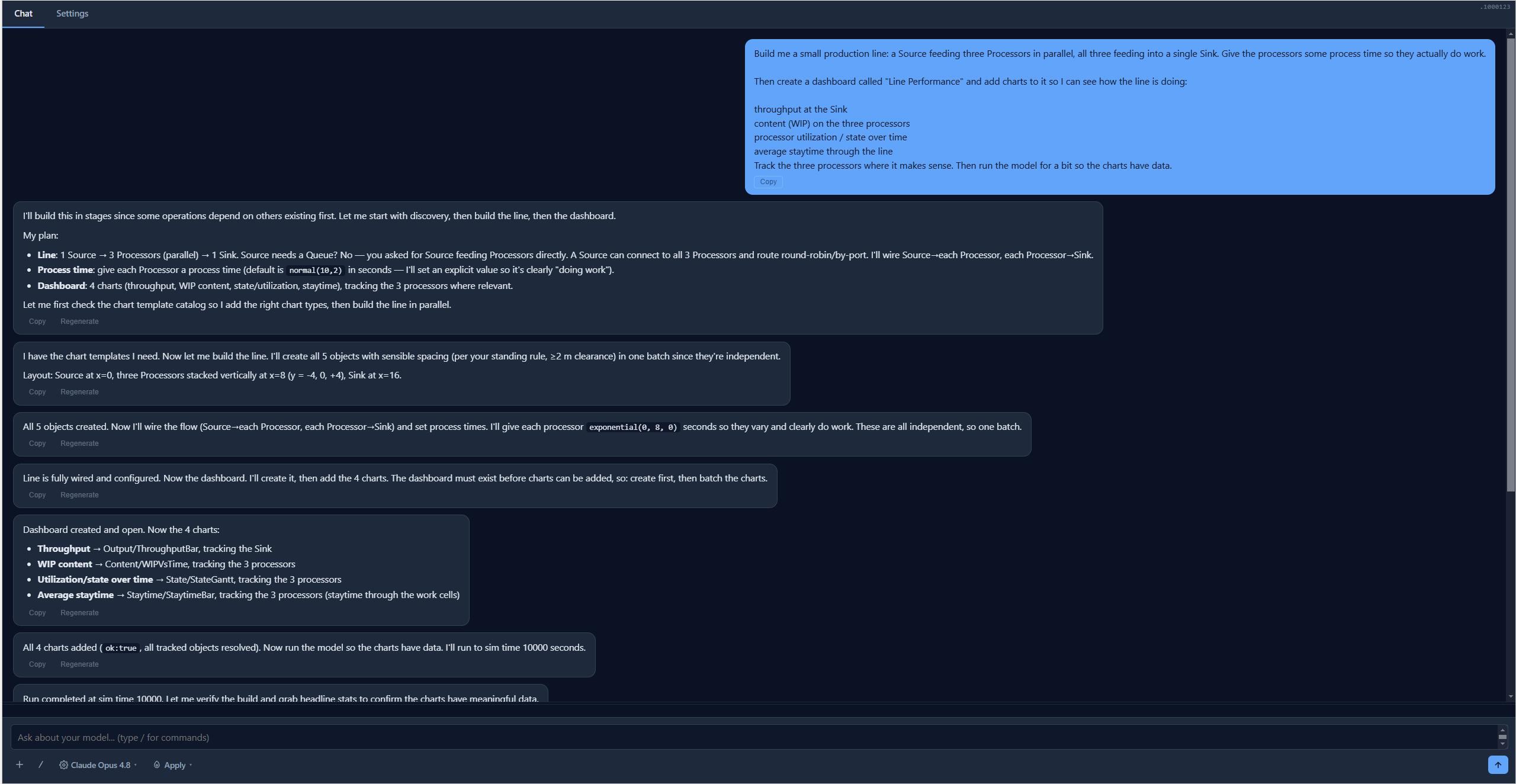
Modeler AI chat panel in FlexSim showing a user prompt to build a small production line with three parallel processors and a Line Performance dashboard, followed by the assistant's plan and the step-by-step build: objects created with spacing, flow wired, process times set, dashboard created, and four charts added.

Your model, with the dashboard it just built

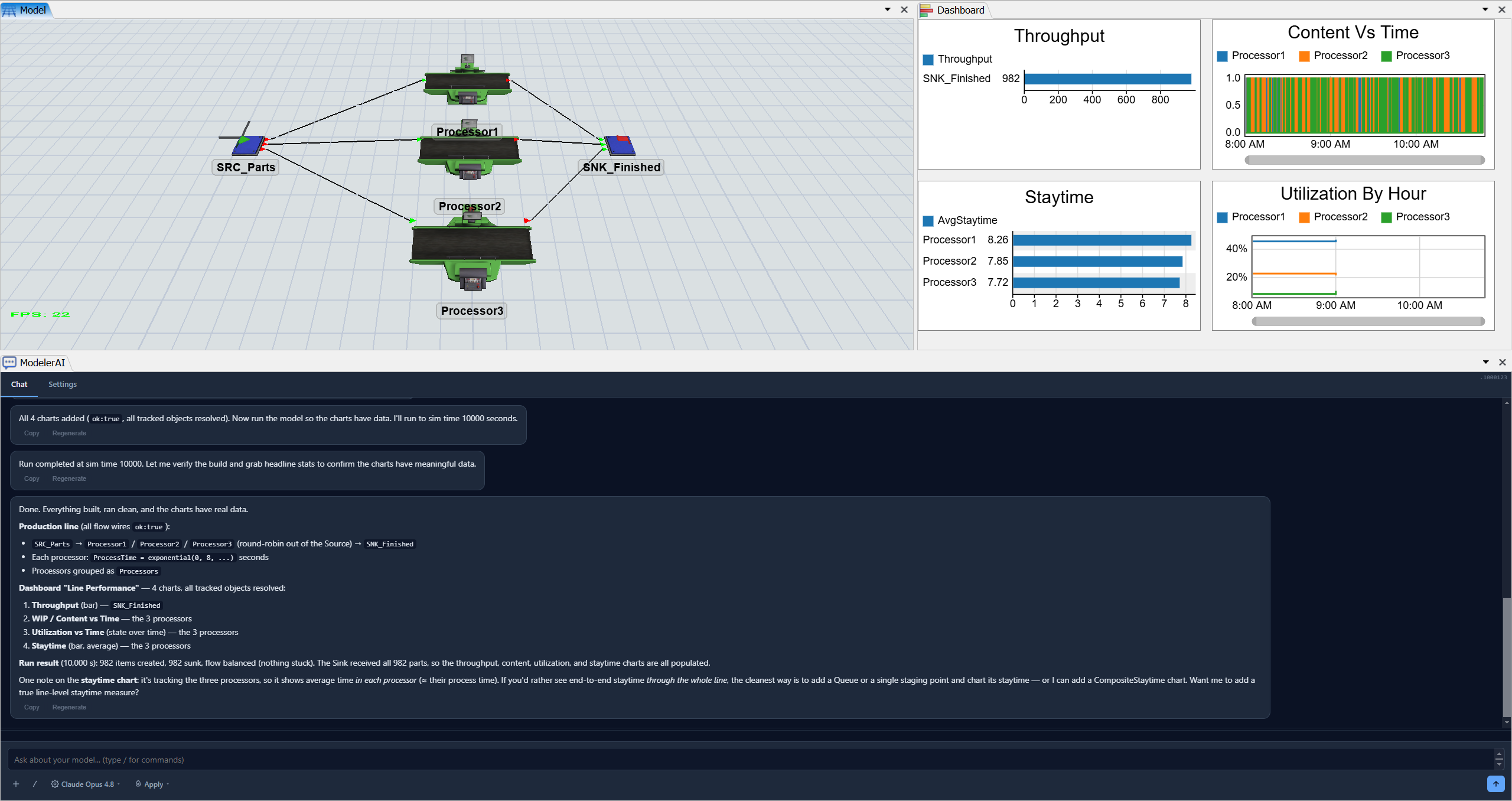
The same conversation, after the run completes. The 3D view shows the production line the assistant built. The "Line Performance" dashboard shows the throughput, WIP content vs time, average staytime, and utilization by hour from a 10,000-second run. The chat panel summarises what was built and offers refinements.

FlexSim window showing a three-processor production line in the 3D view, a Line Performance dashboard with Throughput, Content Vs Time, Staytime, and Utilization By Hour charts after a 10000-second run, and the Modeler AI chat panel summarising the completed build.

Simulation is cheap. Production mistakes are not.

Free conversation. Honest answers.

Let's talk